If you are building a website from scratch, we suggest you to apply the following Elementor builder settings (fig. 1):
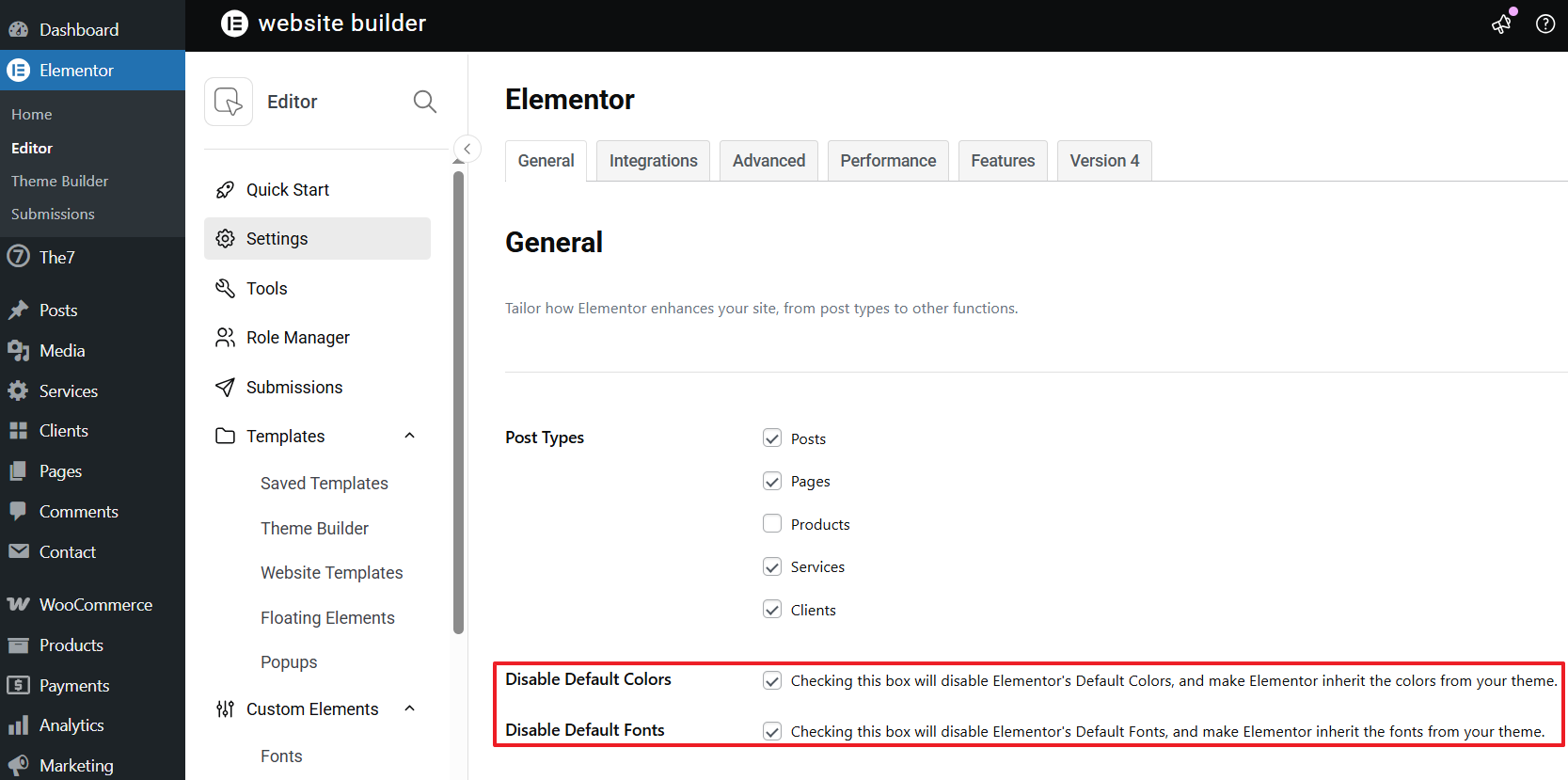
Fig. 1. Advised Elementor settings.
Such configuration disables native Elementor’s stylesheets for widgets design and applies The7 styles only. If Elementor’s Default colors and fonts are not disabled, the font styles will be as per the settings from Elementor Editor’s Panel > Elementor Logo Menu > Site Settings (fig. 2). You can read more about it here https://elementor.com/help/site-settings/.
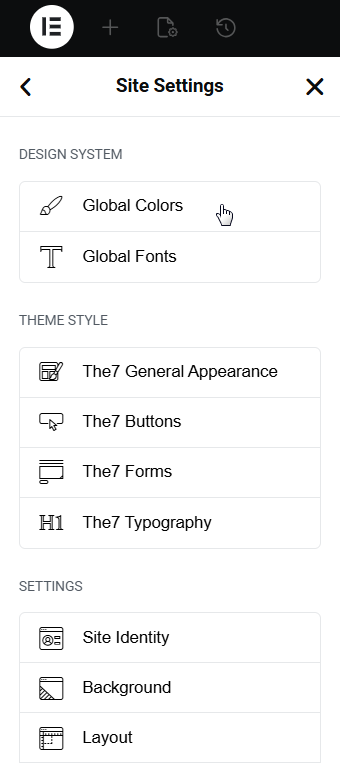
Fig. 2. Elementor Typography and Colors.
You can also apply the theme’s color and typography settings individually through the widget’s Style panel. To do this, click the “Global” options icon (see fig. 3):
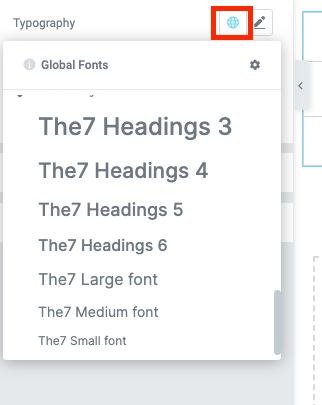
Fig. 3. Select font-family from theme settings.
You may also want to adjust desktop/mobile Elementor switch points – please refer to the official Elementor guide.
If some changes don’t get applied, please refer to Elementor -> Editor -> Tools -> General -> Clear Files & Data.
If you are using pre-made demo web-site, appropriate settings are imported automatically. And you can skip this step.