Settings
The biggest section is “Settings” tab, which is divided into five subsections. It starts with the “Optimize The7 for:” subsection (fig. 3.1), where users can choose their preferred page builder or editing method.
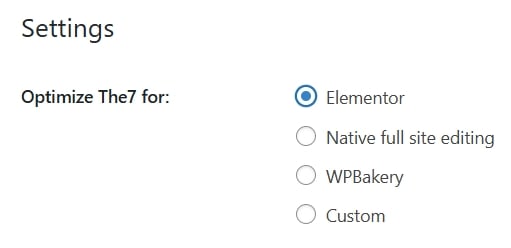
Fig. 3.1. Optimization for a page builder.
The available options are:
- Elementor;
- Native full site editing;
- WPBakery;
- Custom.
This selection ensures that The7 theme is tailored to work seamlessly with the chosen builder, enhancing compatibility and performance.
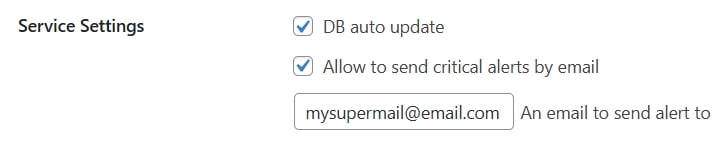
Fig. 3.2. Service Settings.
The section titled “Service Settings” (fig. 3.2) contains two key configuration options related to system maintenance and notifications:
- database auto update;
- allow to send critical alerts by email (sending urgent notifications via email regarding security fixes, etc.). Beneath the second option, there’s a designated input field which ensures that the alerts are directed to the specified recipient.
“General Settings” (fig. 3.3) control how the theme interacts with various page builders and affects layout, styling, and editor behavior:
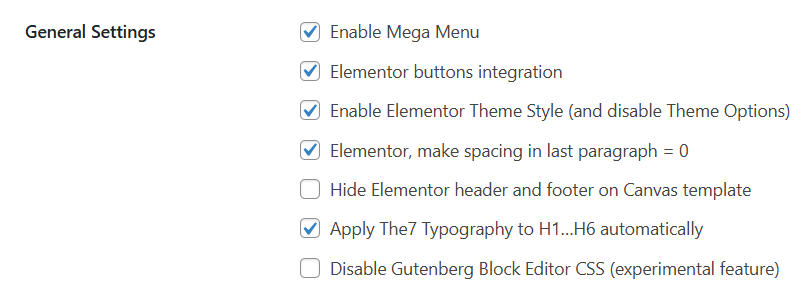
Fig. 3.3. General Settings.
- enable Mega Menu (activates the theme’s advanced menu system);
- buttons integration (ensures that native Elementor “Button” widget inherits theme styling for consistent appearance);
- enable Theme Style (and disable Theme Options);
- make spacing in last paragraph = 0;
- apply Theme Typography to H1…H6 automatically (forces the theme’s heading line-height value onto all H1–H6 elements, regardless of page builder);
- remove header and footer templates when using a blank Canvas page layout in Elementor (initially, The7 had displayed the header and footer regardless of the page layout);
- prevents loading of default Gutenberg styles, which may reduce conflicts or improve performance when using other editors.
“Legacy Features” section (fig. 3.4) contains checkboxes for enabling legacy The7 features that may be relevant for long-time users migrating from older theme versions. These include:
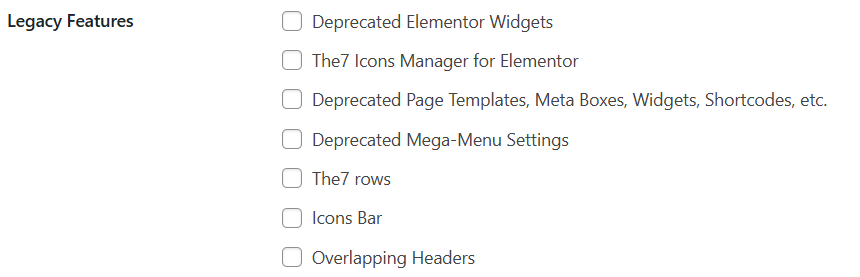
Fig. 3.4. Legacy Features.
- restoring access to older Elementor widgets that are no longer actively supported;
- re-enabling the legacy icon management interface for Elementor widgets;
- making available various outdated theme components (page templates, metaboxes, shortcodes, etc.) for backward compatibility;
- unlocking legacy configuration options for The7’s older mega-menu implementation (don’t confuse this with the modern Mega Menu system . This setting refers to old built-in The7 headers for WPBakery users);
- restoring deprecated row settings in WPBakery Page Builder;
- enabling the legacy horizontal icon bar element used in older designs;
- enabling the “Overlapping Headers” layout in Page Header settings (this setting refers to old built-in The7 headers for WPBakery users)).
If you’re new to The7 theme, you can safely ignore this section. If you are old The7 fan and wonder where Overlapping header is gone, these check-boxes are made for you.
The7 Post Types and Elements
This section is available only if you are using The7 custom post types (fig. 4) from The7 Elements plugin. It allows to disable post types you don’t need and, in result, make WP Dashboard work a little bit faster.
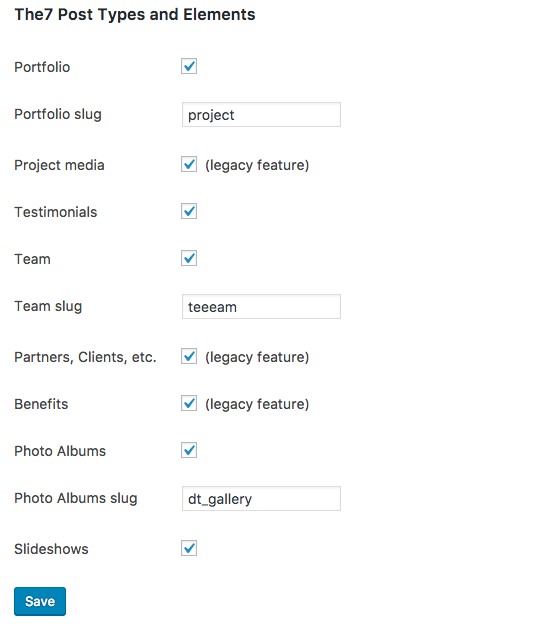
Fig. 4. The7 Post Types and Elements.